Tivazo
Time tracking for remote and on-site teams
Context
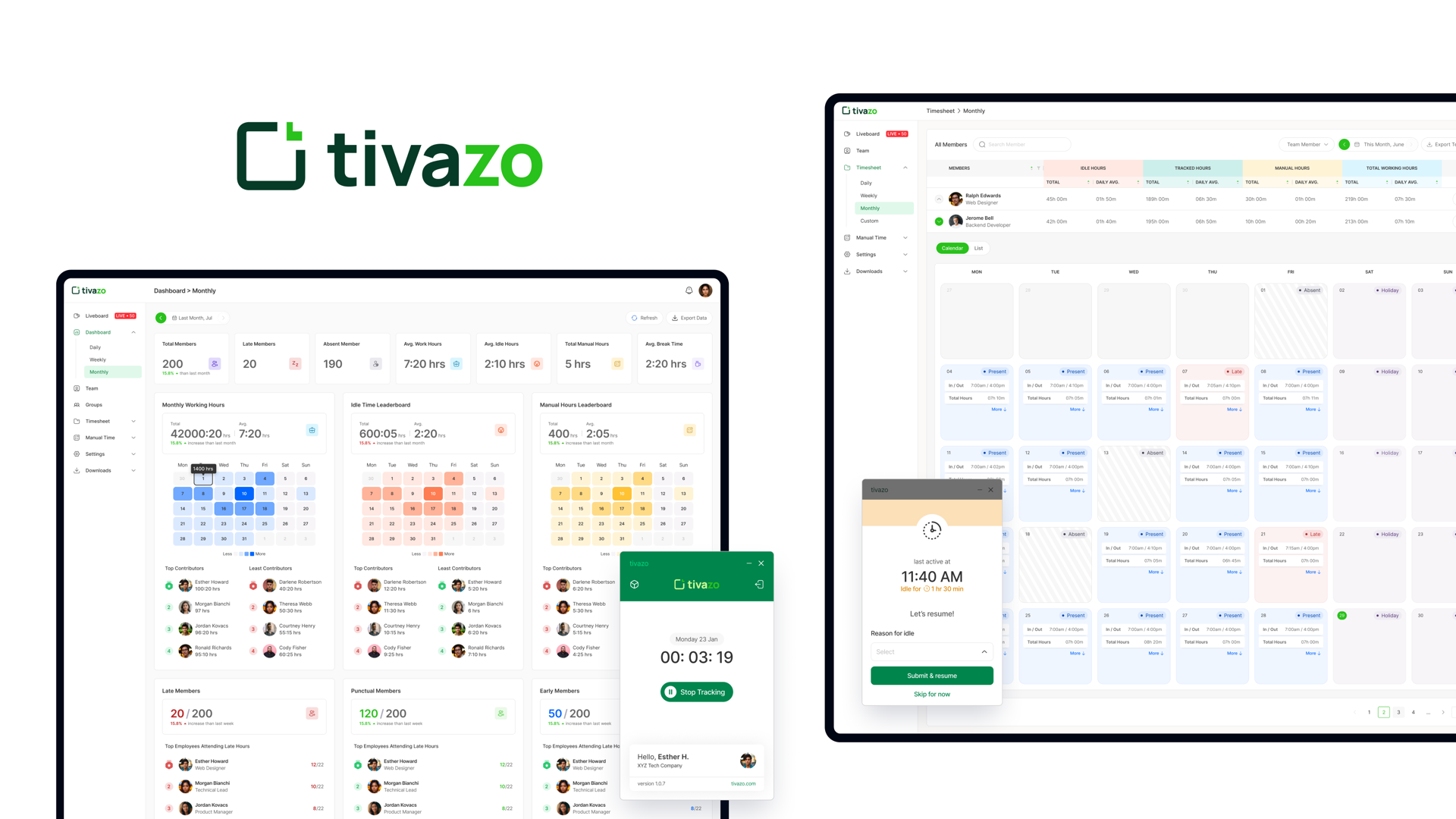
Tivazo is a time tracking tool for remote and on-site teams. It tracks work hours, and those hours turn into timesheets, payroll and client bills, so they have to be right and easy to check.
I designed both sides: the manager views (dashboard, timesheets, approvals) and the employee side of manual time entry, plus the design system the product is built from.
Tivazo is a Codavatar product, designed as part of the team there. It is live at tivazo.com.
The problem
Tivazo was an MVP. It tracked hours, but it had a usability problem. Tracking disrupted people's workflow, so it was done inconsistently and the data drifted. Entering manual hours took real effort, which made it worse. And the reports were missing basic functions, so getting anything useful out of them was slow and had to be finished outside the app.
The objective was to improve usability, engagement, and the quality of the productivity insight managers were getting.
How I approached it
Four changes, aimed at the three problems. The interface was rebuilt to be modern and intuitive, so it is clean and easy to use and tracking stops getting in the way of the work. Manual hours became auto-calculated, which cut the effort on the employee side and with it the inconsistency in the data. Managers got real-time team insights, so productivity is visible as it happens instead of being reconstructed at the end of the month. And reports became customizable, so people can quickly find and analyse the data that matters to them and generate insights from it, rather than exporting and fixing it by hand.
The biggest decision was moving manual time entry into the desktop app. It had been buried in the web app, so correcting a missed twenty minutes cost more effort than leaving it wrong. Putting it next to the timer people already have open fixed the data at the point it broke.
Design system
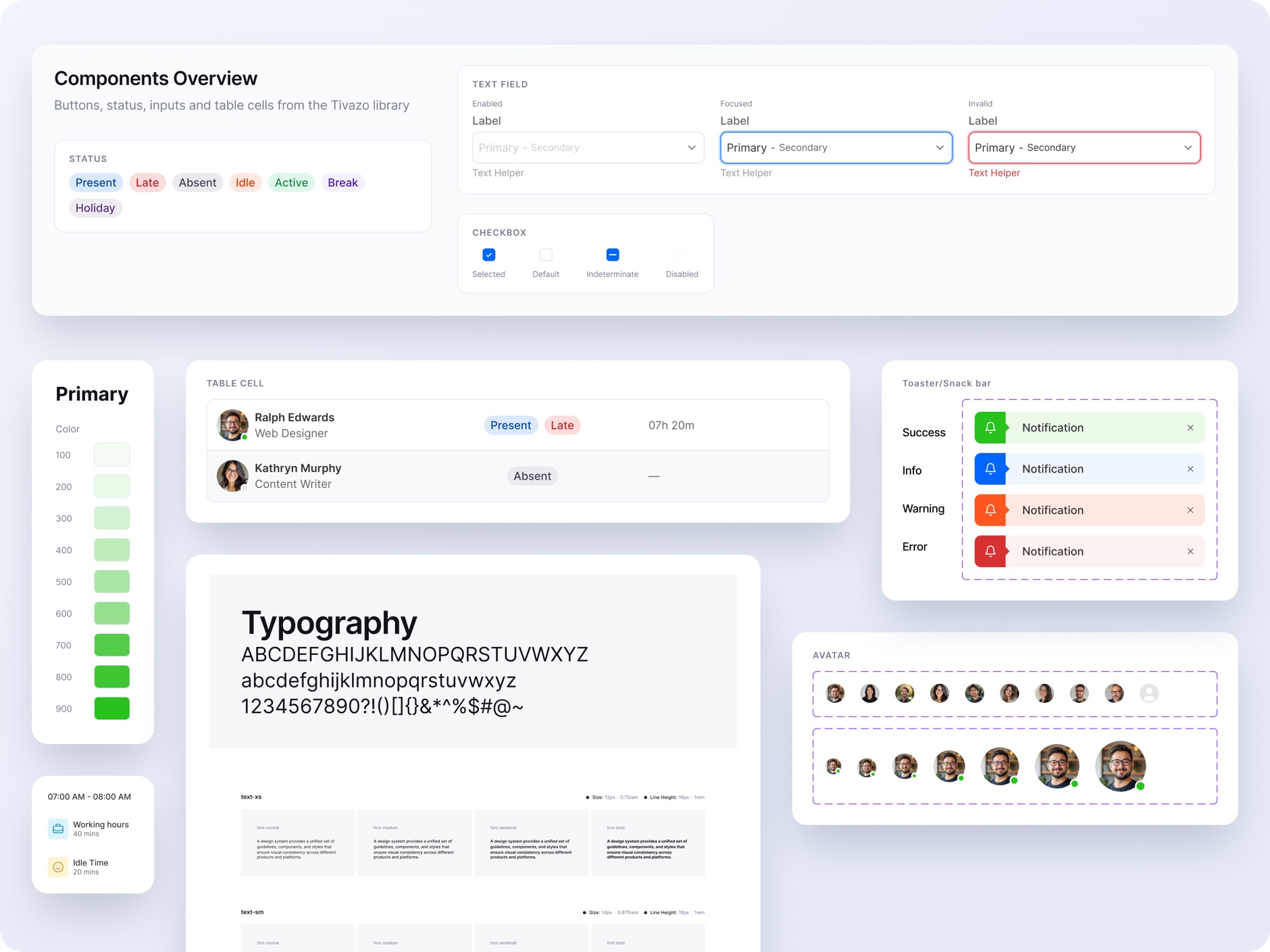
I designed the design system behind the product.
The rule was to design for the combinations that actually happen, not the tidy version. Status badges are the clearest case: someone can be Present and Late at once, so they stack instead of replacing each other.
Tables followed the same logic. Rather than design each table, I broke the row into cell types and let every table be assembled from the same set.
See it live
Tivazo is publicly available at tivazo.com. The dashboard, timesheets and manual time flow described here all shipped.
Other projects